


Two-Factor Authentication (2FA) adds an extra layer of security to your PECpool account. By enabling 2FA, you protect your account from unauthorized access even if someone knows your password.
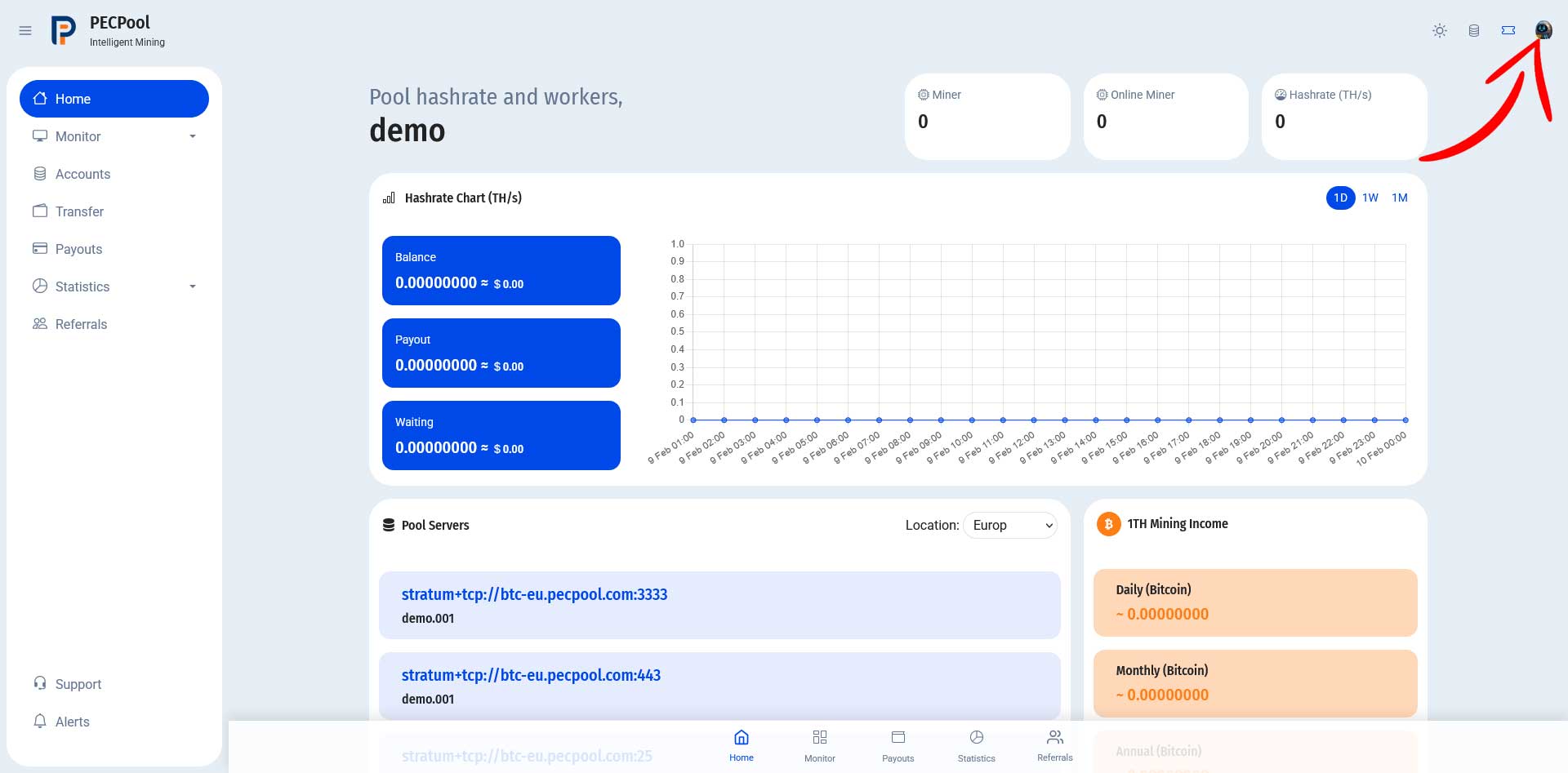
After logging in to your PECpool dashboard, click on your profile icon in the top-right corner.
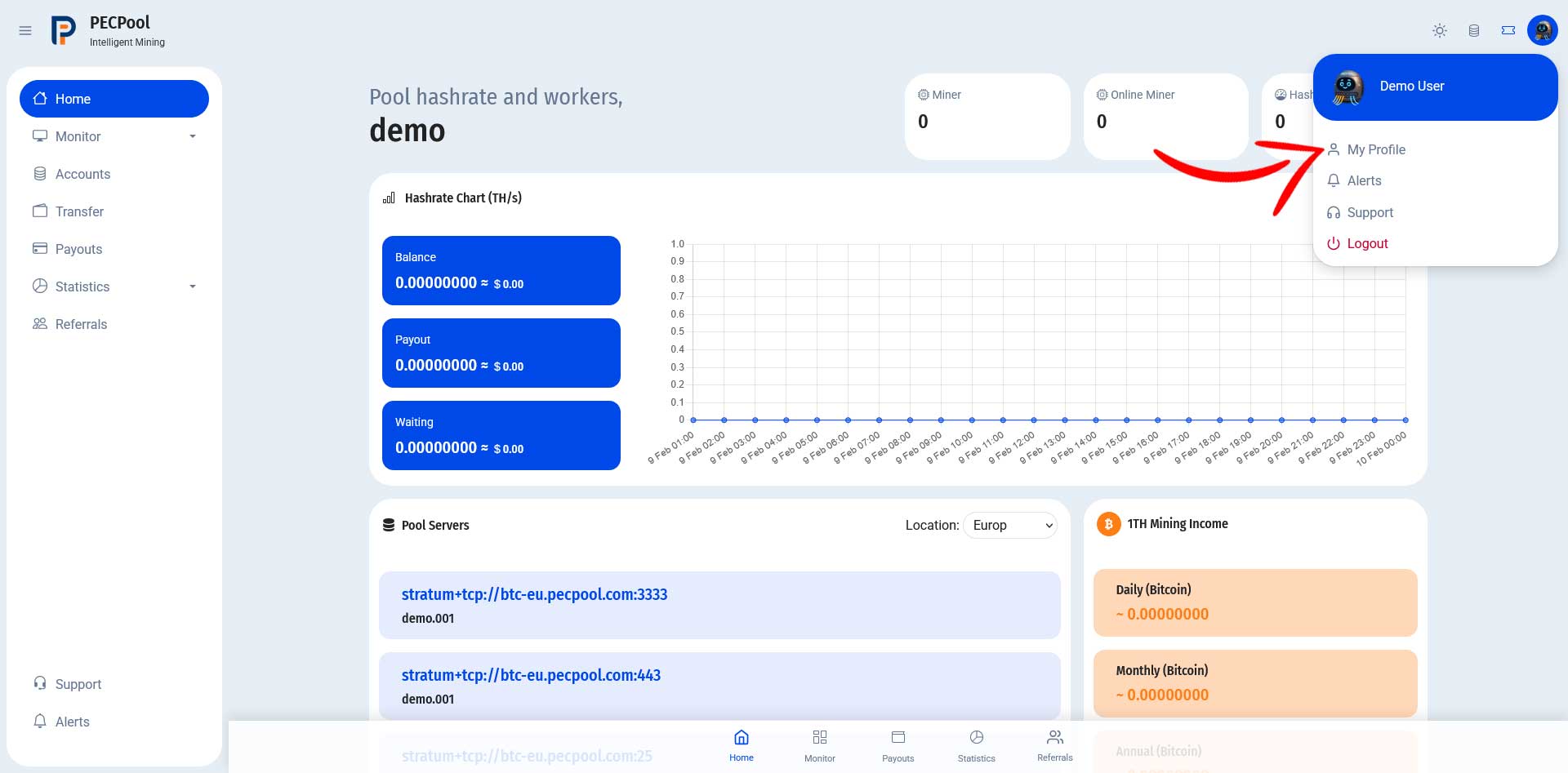
From the dropdown menu, click on My Profile.
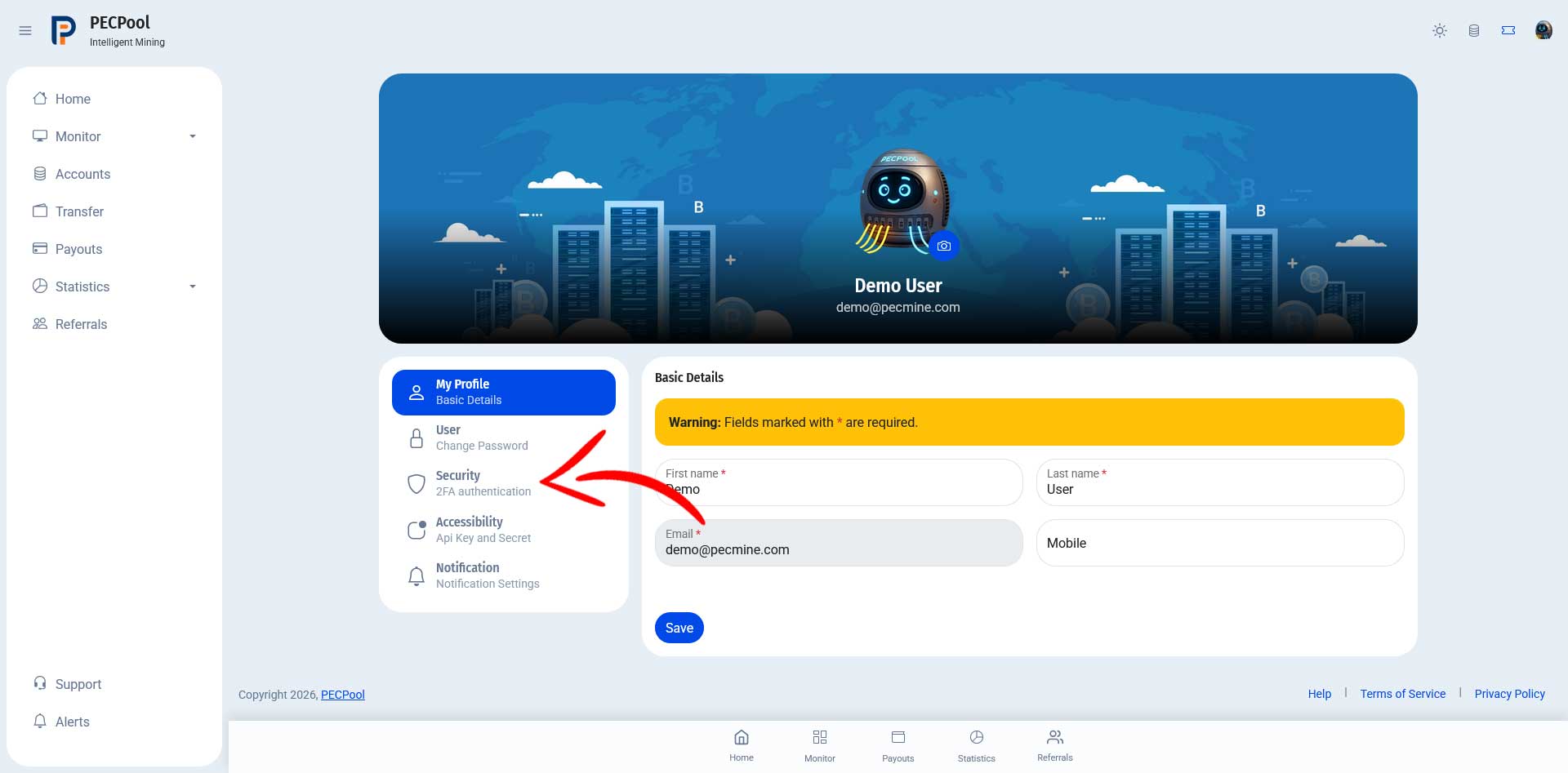
Inside your profile page, click on Security – 2FA Authentication from the left sidebar menu.
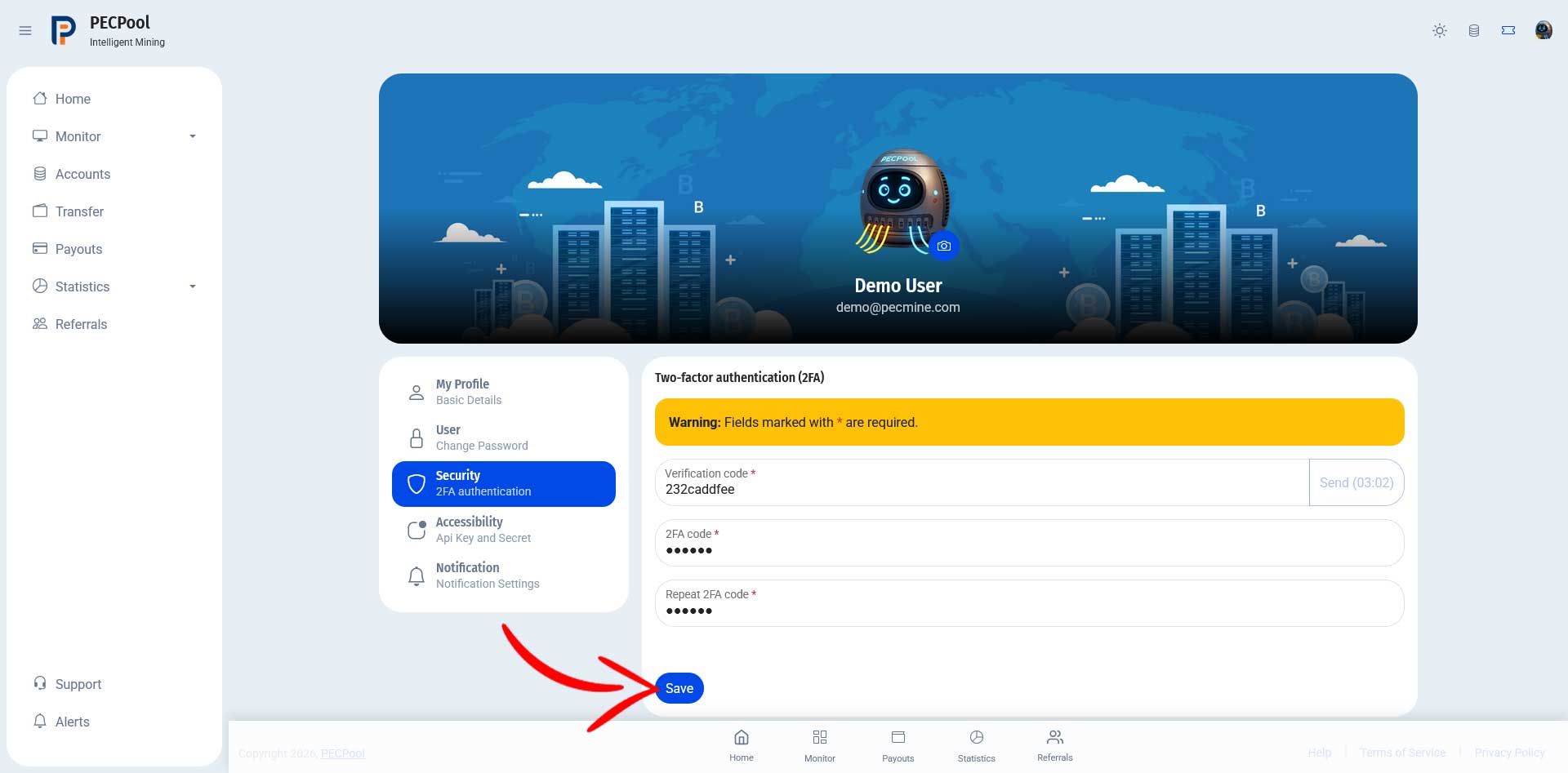
To enable or change your 2FA settings:
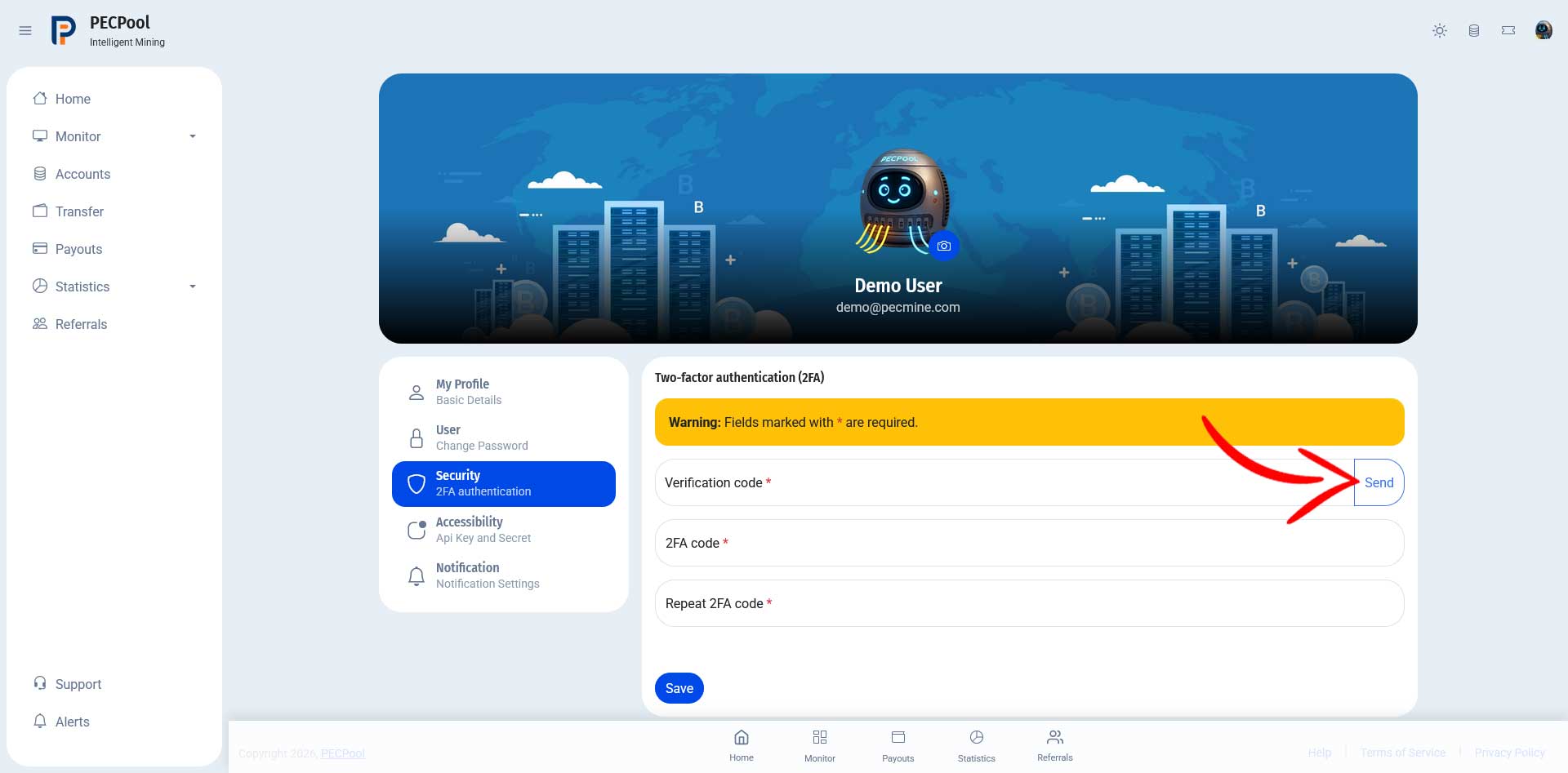
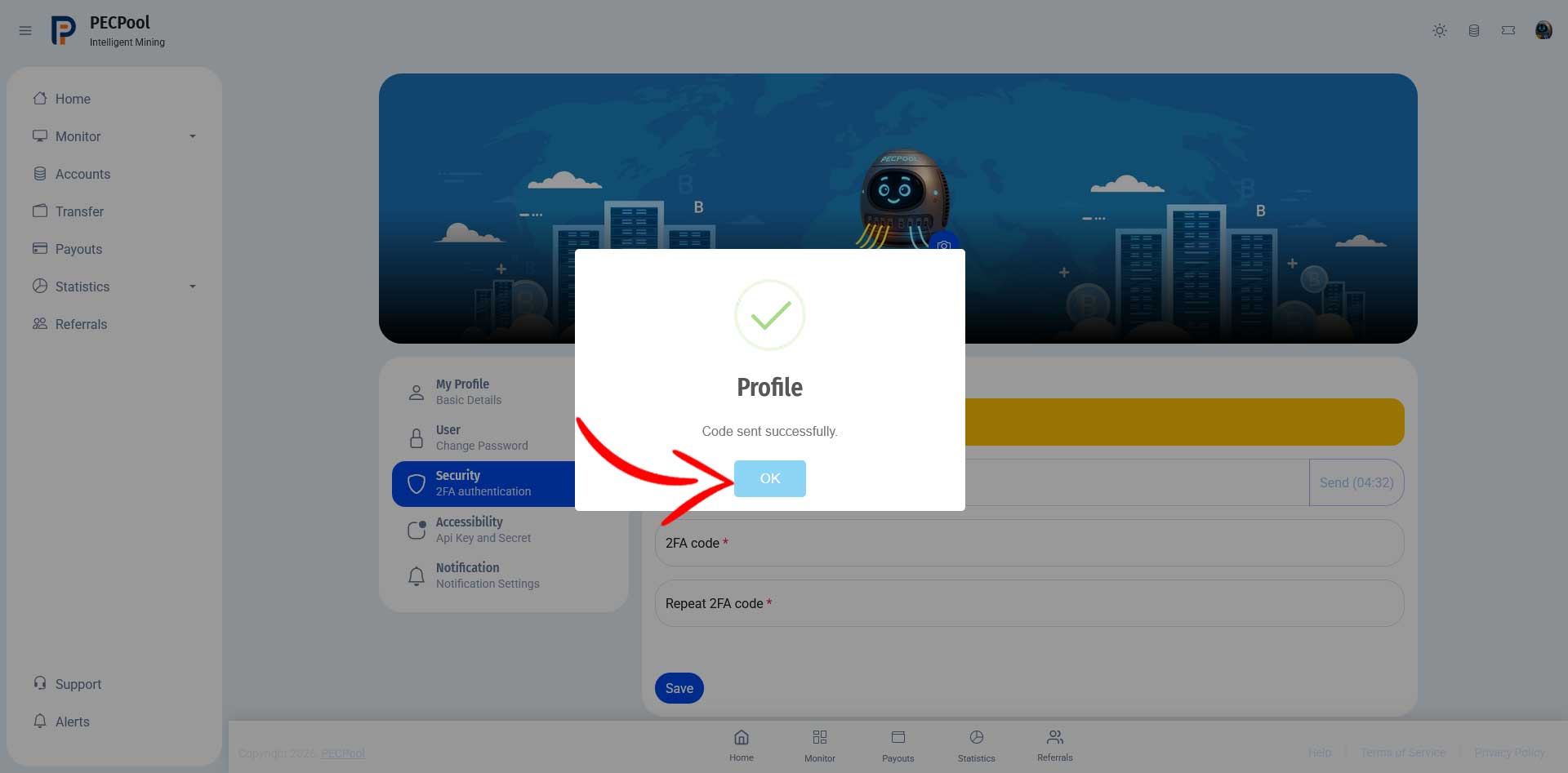
After requesting the code, a confirmation message will appear indicating that the code has been sent successfully.
Click OK to continue.
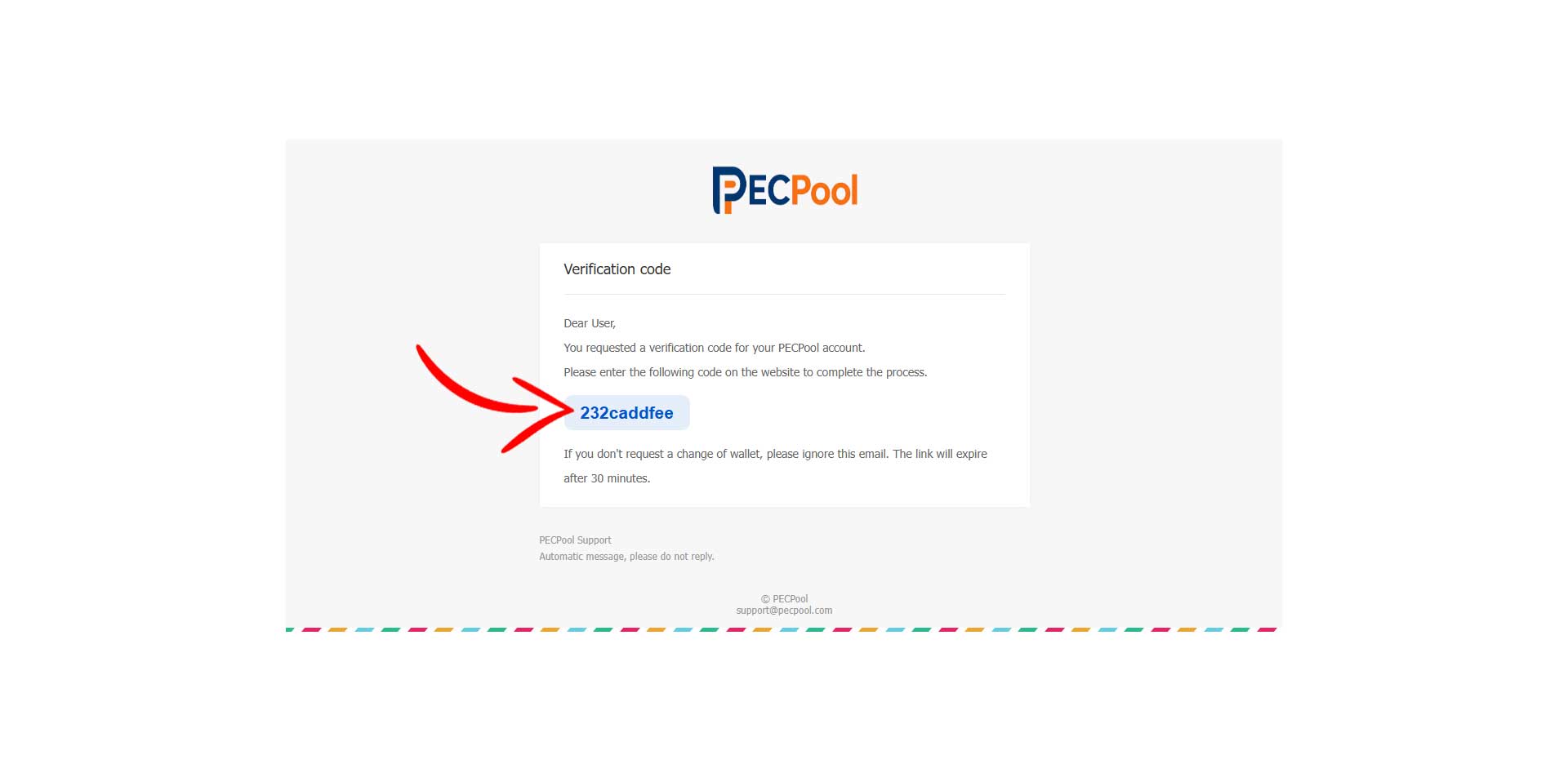
Check your inbox and copy the verification code from the email, then:
After entering all required fields, click Save to activate or update your 2FA security.

Copyright ©2026 PECPool.