

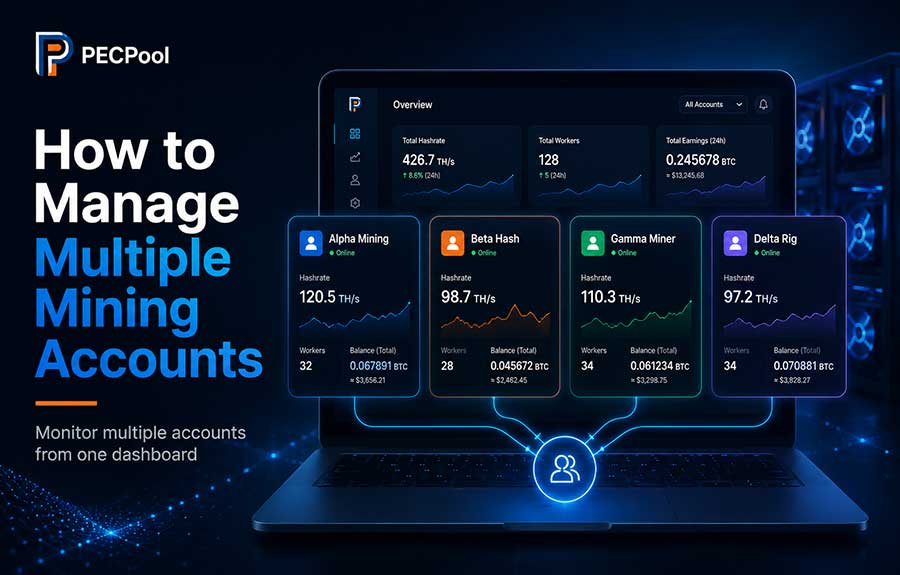
Learn how to create, organize, monitor, and manage multiple mining accounts under one PECPool user account. This guide explains account-level workers, hashrate, earnings, balances, wallets, payouts, alerts, Watch Links, naming strategies, and how to move miners safely between accounts.
PECPool allows mining operators to organize multiple mining accounts under one user account and manage them through a centralized panel.
Multiple mining accounts are useful when you manage different mining farms, customers, locations, teams, hardware groups, payout wallets, or accounting units.
Instead of mixing every miner and financial record into one account, you can separate mining activity logically while still accessing the accounts through the same PECPool login.
This guide explains how multiple mining accounts work, what information remains separate, how to assign miners correctly, how to compare account performance, and how to avoid common configuration and payout mistakes.
A PECPool user account and a PECPool mining account are not the same thing.
The user account is the main account used to sign in to the PECPool control panel.
It includes information such as:
A mining account is the identity under which PECPool organizes mining activity.
Each mining account can contain:
One PECPool user may have access to one or more mining accounts.
Suppose one PECPool user manages three mining operations:
User Login: operator@example.com

Mining Account 1: dubai-farm
Mining Account 2: oman-farm
Mining Account 3: customer-alpha
The user signs in once but can review and manage the mining information associated with all three accounts.
Each mining account remains a separate mining identity.
| Information | Account-Specific? |
|---|---|
| Worker names | Yes |
| Accepted shares | Yes |
| Hashrate | Yes |
| Earnings | Yes |
| Balance | Yes |
| Waiting amount | Yes |
| Payout history | Yes |
| Bitcoin wallet | Yes |
| Withdrawal threshold | Yes |
| Watch Link selection | Configurable by account |
Shares, hashrate, earnings, and balances submitted under one mining account are not automatically transferred to another mining account simply because both accounts belong to the same PECPool user.
Creating separate mining accounts is useful when the mining activity must be divided by ownership, operation, location, or financial purpose.
Example:
tehran-site
dubai-site
oman-site
Separate accounts make it easier to compare the hashrate, uptime, earnings, and performance of each location.
Example:
customer-alpha
customer-beta
customer-gamma
Each customer's miners and financial records can remain separated from the others.
Example:
company-mining
partner-mining
hosting-operation
This structure can simplify internal reporting and payout reconciliation.
Separate mining accounts can be used when different groups of miners must pay to different confirmed Bitcoin wallets.
Example:
antminer-fleet
whatsminer-fleet
test-miners
This can help compare hardware performance, rejected-share rates, uptime, and maintenance requirements.
Example:
production
firmware-test
maintenance-test
Experimental miners can be kept separate from normal production mining statistics.
Multiple accounts should provide a useful operational or financial separation.
You may not need a separate account for every physical miner.
When all miners:
one mining account with unique worker names may be easier to manage.
Example:
Mining Account: mainfarm

Workers:
mainfarm.rack01-miner01
mainfarm.rack01-miner02
mainfarm.rack02-miner01
mainfarm.rack02-miner02A clear structure prevents workers, earnings, and payouts from being assigned to the wrong account.
Before creating multiple accounts, decide:
Mining account names should be short, identifiable, and easy to enter into ASIC miner configuration pages.
Good examples:
dubai01
omanfarm
clientalpha
rackwest
production
Less useful examples:
account1
newaccount
test123
mining
default
Generic names become confusing when several mining accounts are visible in the panel.
dubai-dc1
oman-site2
georgia-farmclient-alpha
client-beta
hosting-customer03production
testing
maintenance
firmware-labs19-fleet
m50-fleet
hydro-minersDo not include passwords, wallet private information, or other sensitive information in the mining account name.
The exact button name may vary according to the current PECPool panel version, but the general process is:
The official PECPool control panel addresses are:
https://cp.pecpool.comhttps://cp.pecpool.ccThe mining account name is entered into the ASIC miner's Worker field.
Your PECPool email address and login password are not entered into the miner's pool configuration.
| Item | Used For |
|---|---|
| PECPool email or login | Signing in to the control panel |
| Mining account name | Identifying where the miner's shares should be recorded |
| Worker suffix | Identifying an individual physical miner |
| Pool password | Normally the placeholder value x |
The mining account is selected through the Worker value configured inside the ASIC miner.
The recommended format is:
AccountName.WorkerNameExample for the Dubai account:
dubai-farm.rack01-miner01Example for the Oman account:
oman-farm.rack01-miner01
Although both workers use the suffix rack01-miner01, they belong to different
mining accounts because the account name at the beginning is different.
Pool URL: stratum+tcp://btc-eu.pecpool.com:3333
Worker: accountA.miner01
Password: xPool URL: stratum+tcp://btc-eu.pecpool.com:3333
Worker: accountB.miner01
Password: xThe Pool URL can be the same, but PECPool records the mining activity under the account identified in the Worker field.
The same physical miner should normally use the same mining account and worker identity in all three pool entries.
Recommended:
Pool 1 Worker: accountA.miner01
Pool 2 Worker: accountA.miner01
Pool 3 Worker: accountA.miner01
Not recommended:
Pool 1 Worker: accountA.miner01
Pool 2 Worker: accountB.miner01
Pool 3 Worker: accountC.miner01
Using different accounts in the backup pool entries can cause the miner's activity to move
Copyright ©2026 PECPool.