

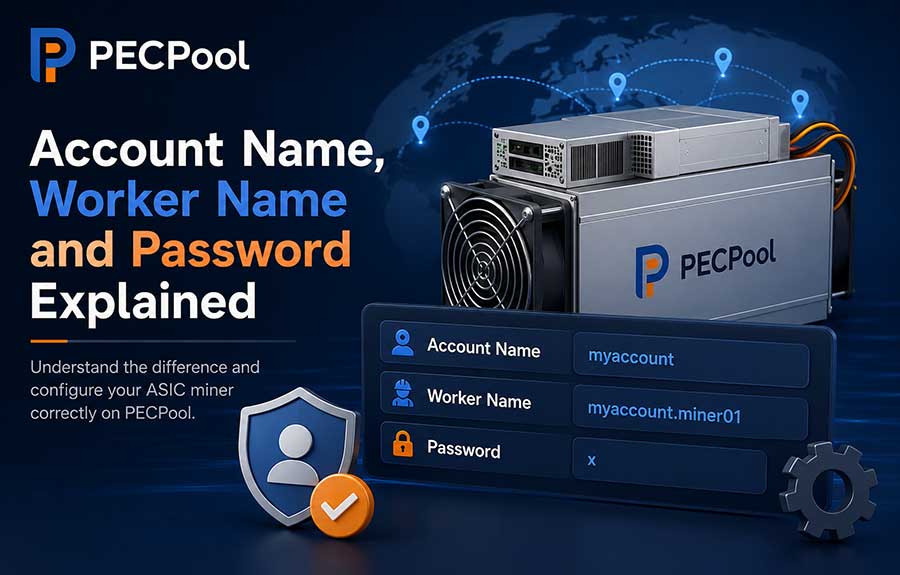
Learn the difference between your PECPool mining account name, worker name, and pool password. This guide explains the correct worker format, how to name multiple ASIC miners, what to enter in the password field, and how to fix common authorization and offline-worker problems.
When connecting an ASIC miner to PECPool, the miner's configuration page normally asks for three important values:
The Pool URL determines which PECPool stratum server the miner connects to. The Worker field identifies your PECPool mining account and the individual mining device. The Password field is a simple stratum value and is not your PECPool login password.
Incorrectly entering any of these values can cause authorization errors, missing workers, offline status, or shares being assigned to the wrong mining account.
This guide explains the difference between the PECPool account name, worker name, and pool password and shows the correct format for configuring Antminer, WhatsMiner, and other compatible Bitcoin ASIC miners.
Most ASIC miner interfaces display three fields for each pool entry:
| Field | Purpose | Example |
|---|---|---|
| Pool URL | Connects the miner to a PECPool stratum server | stratum+tcp://btc-eu.pecpool.com:3333 |
| Worker | Identifies the mining account and individual miner | myaccount.miner01 |
| Password | Stratum password or placeholder value | x |
These values are different from the username and password used to sign in to the PECPool control panel.
A PECPool mining account is the main identity under which your workers, submitted shares, hashrate, earnings, balance, and payouts are organized.
The mining account name is entered at the beginning of the Worker's configuration.
Example mining account:
myaccountThe mining account name is not necessarily the same as:
Do not enter your email address or Bitcoin wallet address in place of the mining account.
To find the correct account name:
The official PECPool control panel addresses are:
https://cp.pecpool.comhttps://cp.pecpool.ccIf your PECPool user has multiple mining accounts, make sure you select the correct account before configuring the miner.
Shares submitted under one mining account are not automatically transferred to another mining account simply because both accounts belong to the same user.
A worker name identifies an individual mining device under a PECPool mining account.
The recommended worker format is:
AccountName.WorkerNameExample:
myaccount.miner01In this example:
myaccount is the PECPool mining account name.miner01 identifies the individual ASIC miner.
The complete value myaccount.miner01 must be entered in the miner's
Worker, User, or Username field,
depending on the miner manufacturer and firmware.
Using a different worker name for every ASIC miner allows each device to be monitored separately.
With unique worker names, you can identify:
If several miners use the same worker name, their data may be combined under one worker. This makes it more difficult to identify which physical device has a problem.
Worker names should be short, recognizable, and easy to match with the physical miner.
myaccount.miner01
myaccount.miner02
myaccount.miner03
myaccount.miner04myaccount.antminer01
myaccount.antminer02
myaccount.whatsminer01
myaccount.whatsminer02myaccount.rack01m01
myaccount.rack01m02
myaccount.rack02m01
myaccount.rack02m02myaccount.room1miner01
myaccount.room1miner02
myaccount.sitebminer01
myaccount.sitebminer02myaccount.asic101
myaccount.asic102
myaccount.asic103Choose one naming structure and use it consistently across the entire mining operation.
For maximum compatibility with different ASIC firmware, use:
Avoid spaces, Persian characters, emojis, and unnecessary special characters.
Recommended examples:
miner01
antminer02
rack03m04
siteb15
Examples that should be avoided:
miner 01
??????01
miner@home
miner/01
miner#1
Simple worker names reduce the possibility of compatibility and authorization problems.
In normal operation, you do not need to manually create each worker before configuring the miner.
After the ASIC miner connects to PECPool and begins submitting valid shares, the worker is normally created and displayed automatically under the selected mining account.
The general process is:
A newly connected or restarted worker may require approximately 10 to 20 minutes to appear or change to Online status.
The Password field in the miner's pool configuration is not your PECPool account password.
When no special stratum password is required, enter:
xA normal PECPool configuration may look like this:
Pool URL: stratum+tcp://btc-eu.pecpool.com:3333
Worker: myaccount.miner01
Password: x
The value x is a simple placeholder used by the mining protocol.
It does not provide access to your PECPool control panel.
Your PECPool login password is used only for signing in to your PECPool user account. It should never be entered into an ASIC miner's pool configuration.
Never enter any of the following in the Pool Password field:
The miner's Pool Password field and the PECPool panel password are completely separate.
| Password Type | Where It Is Used | Example or Guidance |
|---|---|---|
| PECPool login password | Signing in to the PECPool control panel | Use a strong and private password |
| Miner administrator password | Opening the Antminer or WhatsMiner local interface | Change the factory-default password |
| Pool password | Stratum pool configuration | x |
| Two-Factor Authentication code | Protecting sensitive PECPool account operations | Never share it with anyone |
| API Secret | Authorized API or Monitoring communication | Keep it confidential |
Do not reuse the same password for the PECPool panel, miner management interface, email, router, and other systems.
Yes. Pool 1, Pool 2, and Pool 3 on the same physical miner should normally use the same PECPool account and worker name.
Example:
URL: stratum+tcp://btc-eu.pecpool.com:3333
Worker: myaccount.miner01
Password: xURL: stratum+tcp://btc.pecpool.com:443
Worker: myaccount.miner01
Password: xURL: stratum+tcp://btc-us.pecpool.com:25
Worker: myaccount.miner01
Password: xAll three entries belong to the same physical ASIC miner, so the same worker identity should normally be used.
Only the server address changes between Pool 1, Pool 2, and Pool 3.
Different physical miners should normally use different worker names.
Correct configuration:
Miner 1: myaccount.miner01
Miner 2: myaccount.miner02
Miner 3: myaccount.miner03
Not recommended:
Miner 1: myaccount.miner01
Miner 2: myaccount.miner01
Miner 3: myaccount.miner01
Using the same worker on multiple devices may combine their pool statistics and make individual troubleshooting difficult.
Assume the PECPool mining account name is:
examplefarmThe user wants to configure the first ASIC miner using the worker name:
miner01The complete worker value will be:
examplefarm.miner01The miner configuration can be entered as follows:
Pool URL: stratum+tcp://btc-eu.pecpool.com:3333
Worker: examplefarm.miner01
Password: x
Pool URL: stratum+tcp://btc.pecpool.com:443
Worker: examplefarm.miner01
Password: xPool URL: stratum+tcp://btc-us.pecpool.com:25
Worker: examplefarm.miner01
Password: xFor the second physical miner, only the worker suffix needs to change:
examplefarm.miner02When PECPool receives a mining share, the submitted worker value helps determine:
For this reason, the account and worker format must be entered correctly.
Incorrect:
user@example.comCorrect:
myaccount.miner01Your email is used for the PECPool user account, not as the normal mining worker identity.
Incorrect:
bc1qexamplebitcoinaddressCorrect:
myaccount.miner01The Bitcoin wallet address is used for payouts. It should not be entered in the Worker's field.
Incorrect:
miner01Recommended:
myaccount.miner01The PECPool mining account should be included before the worker name.
Incorrect:
myaccountminer01Correct:
myaccount.miner01Incorrect:
myaccount. miner01
myaccount .miner01
myaccount.miner 01
Correct:
myaccount.miner01Incorrect:
Password: YourPECPoolLoginPasswordCorrect:
Password: xThis may not always prevent mining, but it makes individual worker monitoring and troubleshooting much more difficult.
Recommended:
myaccount.miner01
myaccount.miner02
myaccount.miner03Not recommended for the same physical miner:
Pool 1 Worker: myaccount.miner01
Pool 2 Worker: myaccount.miner02
Pool 3 Worker: myaccount.miner03
Recommended:
Pool 1 Worker: myaccount.miner01
Pool 2 Worker: myaccount.miner01
Pool 3 Worker: myaccount.miner01An authorization error means that the pool connection may have been established, but the worker information was not accepted correctly.
Possible causes include:
To solve the problem:
AccountName.WorkerName format.x in the Pool Password field.If the worker is not displayed in the Monitor section, check:
A miner being powered on does not necessarily mean that it is submitting valid shares. The worker appears after PECPool receives valid mining activity.
A worker may remain Offline if the pool has not received a recent valid share from that worker.
Check:
After correcting the problem, allow sufficient time for the worker status to update.
This normally means the account name entered before the worker suffix belongs to a different mining account.
For example:
accountA.miner01
will be associated with accountA, while:
accountB.miner01
will be associated with accountB.
Open the miner configuration, enter the intended PECPool mining account, save the settings, and wait for the correct worker to begin submitting shares.
This may happen when multiple physical ASIC miners use the same worker name.
For example, if three miners all use:
myaccount.miner01their pool activity may be combined under one worker identity.
To separate them:
Example:
myaccount.miner01
myaccount.miner02
myaccount.miner03A worker name can be changed by editing the Worker field in the ASIC miner's pool configuration.
General process:
The old worker may remain visible as Offline because it has historical mining data. The new worker will appear after it submits valid shares.
Large mining operations should use a structured naming system.
A useful naming format can include:
Example:
farmaccount.s1r02m015This can represent:
Other examples:
farmaccount.a-r01-m001
farmaccount.a-r01-m002
farmaccount.b-r03-m025
The exact structure is less important than consistency. Every technical team member should be able to match the worker name with the physical miner.
| Item | Correct Example |
|---|---|
| Mining account | myaccount |
| Worker suffix | miner01 |
| Complete worker | myaccount.miner01 |
| Pool password | x |
| Pool URL | stratum+tcp://btc-eu.pecpool.com:3333 |
AccountName.WorkerName format.x.The easiest way to understand the configuration is through one complete example.
Assume:
examplefarm.miner01.The correct configuration is:
Pool URL: stratum+tcp://btc-eu.pecpool.com:3333
Worker: examplefarm.miner01
Password: x
For the second miner:
Pool URL: stratum+tcp://btc-eu.pecpool.com:3333
Worker: examplefarm.miner02
Password: x
The mining account stays the same, the worker name changes for each physical miner, and the
pool password remains x.
Using this structure helps PECPool correctly organize your workers, hashrate, shares, and mining activity while making individual devices easier to monitor and troubleshoot.
Copyright ©2026 PECPool.