

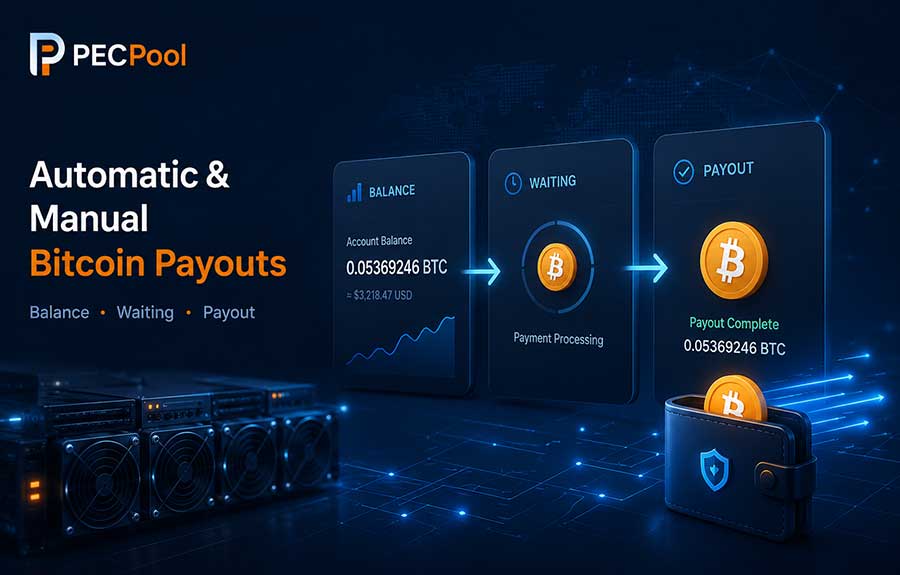
Learn how automatic and manual Bitcoin payouts work in PECPool, including payout thresholds, confirmed wallet requirements, Two-Factor Authentication, Waiting status, transaction IDs, Bitcoin network confirmations, and common payout problems.
PECPool provides two main methods for transferring Bitcoin mining balances to a registered wallet:
Both methods send Bitcoin from the PECPool mining account to the confirmed Bitcoin wallet registered for that account. However, they use different thresholds, security requirements, and request processes.
This guide explains how automatic and manual payouts work, what conditions must be completed, how a payment moves from Balance to Waiting and Payout, and how to troubleshoot common withdrawal problems.
Mining rewards normally pass through several stages before reaching your Bitcoin wallet:
Accepted Mining Shares
? Finalized Earnings
? Account Balance
? Waiting
? Bitcoin Payout
? Blockchain Confirmations
Each stage has a separate meaning:
An automatic payout is processed without the user submitting a separate transfer request each time.
When the account reaches the configured payout threshold and all payout conditions are met, PECPool can automatically prepare the eligible balance for payment.
The standard minimum automatic payout threshold is:
0.001 BTCThe user may configure an available payout threshold according to the options provided in the mining account settings.
After the account balance reaches the selected threshold, the eligible amount can enter the automatic payout process.
For an automatic payout to be processed normally:
If the wallet has not been confirmed, reaching the payout threshold alone may not be enough to start payment processing.
To configure the wallet and automatic payout threshold:
The wallet change is not complete until the confirmation process has been successfully finished.
Assume the mining account has the following settings:
Automatic Payout Threshold: 0.001 BTC
Current Balance: 0.00085 BTC
The account has not yet reached the configured threshold, so the balance normally remains available in the account.
After finalized earnings increase the balance to:
Current Balance: 0.00108 BTCthe account becomes eligible for automatic payout processing, provided that the wallet and other payout conditions are valid.
The eligible amount may then move from Balance to Waiting before the Bitcoin transaction is created.
A manual transfer allows the user to request a Bitcoin payment directly from the PECPool control panel without waiting for the automatic payout threshold.
The standard minimum amount for a manual transfer from the PECPool panel is:
0.0001 BTCManual transfer is useful when the account balance is above the manual minimum but below the configured automatic payout threshold.
A manual transfer normally requires:
The available balance must be sufficient for the amount requested and any applicable payment conditions.
Manual Bitcoin transfers are sensitive financial operations. Two-Factor Authentication adds an additional security layer beyond the normal account password.
Even if someone obtains the PECPool login password, the additional authentication requirement helps prevent unauthorized transfer requests.
Never share your Two-Factor Authentication code with:
PECPool Support does not need your personal 2FA code to investigate a normal payout question.
The exact interface may vary slightly according to the current panel version, but the general process is:
After the request is accepted, the amount may move from Balance to Waiting while payment processing is completed.
| Feature | Automatic Payout | Manual Transfer |
|---|---|---|
| Request Required | No separate request for each payment | User submits a transfer request |
| Standard Minimum | 0.001 BTC |
0.0001 BTC |
| Wallet Required | Yes | Yes |
| Email-Confirmed Wallet | Required | Required |
| Two-Factor Authentication | Not required for each automatic payout | Required for manual transfer |
| Best Use | Regular scheduled mining payments | Requesting an eligible balance before the automatic threshold |
After an automatic payout becomes eligible or a manual transfer is accepted, the payment normally moves through the following stages:
The Waiting value prevents the same Bitcoin amount from being used in another payment request while the first request is being processed.
For example:
Balance Before Request: 0.00250 BTC
Manual Transfer Request: 0.00200 BTC
Remaining Balance: 0.00050 BTC
Waiting: 0.00200 BTC
The 0.00200 BTC has not disappeared. It has been separated from the available balance and is being prepared for payout.
No. Waiting normally means the payment has entered the processing queue but has not yet completed the payout stage.
A Waiting payment may not yet have:
After the transaction is created, the payment should move to payout history.
A Bitcoin transaction ID, commonly called a TXID, is the unique identifier of a Bitcoin transaction.
After a PECPool payout is broadcast, the TXID can be used to verify the payment on a Bitcoin block explorer.
The TXID can show:
Creating a payout and receiving Bitcoin network confirmations are separate stages.
| Status | Meaning |
|---|---|
| Waiting | The payment is being prepared or queued. |
| Payout Created | The Bitcoin transaction has been generated and broadcast. |
| Unconfirmed | The transaction is visible on the Bitcoin network but has not entered a block. |
| Confirmed | The transaction has been included in a Bitcoin block. |
A payout can appear in PECPool while the receiving wallet still displays it as pending.
Bitcoin blocks are produced approximately every ten minutes on average, but the actual time between blocks varies.
Transaction confirmation time can be affected by:
A transaction may confirm quickly, or it may remain pending longer during periods of heavy Bitcoin network activity.
Some exchanges and custodial wallets require multiple Bitcoin confirmations before crediting a deposit.
For example:
In this situation, the delay is related to the receiving platform's deposit policy rather than the creation of the PECPool payout.
Before receiving a payout, verify that the registered wallet:
Do not enter a deposit address for another cryptocurrency or blockchain network.
A Bitcoin payout must be sent to a valid Bitcoin receiving address.
Bitcoin receiving addresses may begin with:
bc131The wallet or exchange should clearly identify the address as a Bitcoin network address.
Do not assume that an address is correct only because it looks similar to another blockchain address.
Clipboard malware can replace a copied Bitcoin address with an attacker's address.
Before confirming a wallet address:
Bitcoin transactions are irreversible after they are broadcast and confirmed.
A wallet change is a sensitive account operation because future payouts will be sent to the new address.
PECPool therefore uses an email confirmation process for wallet registration and changes.
If you receive a wallet-change email that you did not request:
Check the following:
The balance may also increase after daily earnings processing, so confirm that the latest earnings record has been finalized.
Possible reasons include:
Review the account balance, wallet status, and security settings before submitting the request again.
A manual request may fail when:
Refresh the account information and confirm the current available balance before retrying.
Mining earnings, other payout requests, and payment processing can change the available balance.
PECPool validates the balance at the time the request is registered to prevent duplicate or invalid payments.
If the available balance changed before the request completed, the transfer may not be registered.
A transaction ID is created only after the Bitcoin transaction has been prepared and broadcast.
If the payment still appears under Waiting, the transaction may not yet have reached that stage.
A Waiting record without a TXID is not automatically an error.
An unconfirmed transaction has been broadcast but has not yet been included in a Bitcoin block.
Check:
Do not create another payout request for the same payment merely because the Bitcoin transaction is still waiting for confirmation.
The received amount may differ from the balance displayed before payment because of:
Compare the payout record and transaction amount rather than comparing only the current account balance.
Assume:
Configured Threshold: 0.001 BTC
Balance: 0.00125 BTC
Waiting: 0 BTC
When the payout enters processing:
Balance: 0 BTC
Waiting: 0.00125 BTC
After the transaction is created:
Balance: 0 BTC
Waiting: 0 BTC
Payout: 0.00125 BTC
TXID: Available
This is a simplified example. The actual amount and processing result depend on the account and payout conditions.
Assume:
Available Balance: 0.00075 BTC
Requested Manual Transfer: 0.00050 BTC
After the request is accepted:
Remaining Balance: 0.00025 BTC
Waiting: 0.00050 BTC
After the Bitcoin transaction is created:
Remaining Balance: 0.00025 BTC
Waiting: 0 BTC
New Payout Record: 0.00050 BTChttps://cp.pecpool.comhttps://cp.pecpool.ccAlways check the domain before entering your password, 2FA code, wallet information, or transfer request.
Contact support when:
Provide the following information:
Never send:
| Item | Automatic Payout | Manual Transfer |
|---|---|---|
| Standard Minimum | 0.001 BTC |
0.0001 BTC |
| User Request | Not required for each payout | Required |
| Confirmed Wallet | Required | Required |
| 2FA for Each Payment | No | Yes |
| May Appear in Waiting | Yes | Yes |
| TXID Available | After transaction broadcast | After transaction broadcast |
Automatic payout is designed for users who want their mining balance sent after reaching a configured threshold without submitting every payment manually.
Manual transfer is designed for users who need to request an eligible balance before reaching the automatic payout threshold and who have completed the required security settings.
Both methods use the same confirmed Bitcoin wallet and may pass through the Waiting stage before a transaction ID becomes available.
Always review the wallet address, payment amount, security requirements, and transaction status before assuming that a payout is incomplete or missing.
Copyright ©2026 PECPool.