


Learn why an ASIC miner may appear to be running while its worker remains Offline in the PECPool panel. This guide explains how worker status is determined and provides step-by-step checks for pool settings, worker names, network connectivity, rejected shares, miner hardware, and firmware problems.
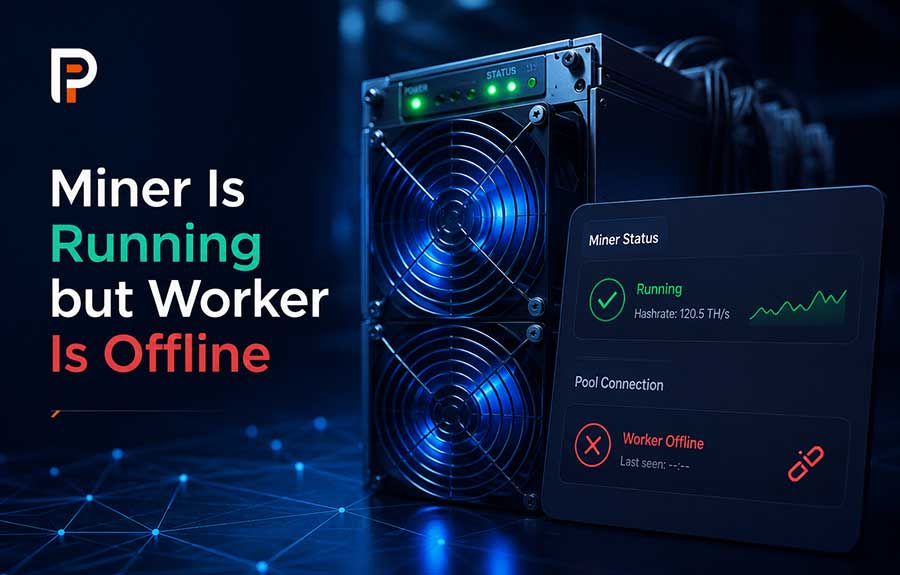
An ASIC miner may appear to be powered on, display normal temperatures, and even show local hashrate while its worker remains Offline in the PECPool panel.
This normally means that the miner is operating locally, but PECPool is not receiving recent valid shares from the configured worker.
A powered-on miner and an Online worker are not the same thing. The worker becomes Online only after the miner connects to a PECPool stratum server, authenticates with the correct mining account, and begins submitting valid shares.
This guide explains the most common causes of an Offline worker and provides a practical troubleshooting process for Antminer, WhatsMiner, and other compatible Bitcoin SHA-256 ASIC miners.
PECPool determines worker status from valid mining activity received through its stratum servers.
The normal connection process is:
If PECPool does not receive recent valid shares from the worker, the worker may remain or become Offline even when the miner itself is powered on.
| Status | Meaning |
|---|---|
| Miner Running | The ASIC device is powered on and may be performing local calculations. |
| Pool Connected | The miner has established a connection to a configured stratum server. |
| Accepted Shares Increasing | PECPool is receiving valid mining work from the worker. |
| Worker Online | The pool has received recent valid shares from the worker. |
| Worker Offline | No recent valid mining activity has been received from the worker. |
Open the miner's local management interface and review its mining status before changing any settings.
Depending on the manufacturer and firmware, the page may be named:
Check the following information:
The most important initial question is whether the accepted-share counter is increasing.
Accepted shares confirm that the miner is successfully submitting valid work to PECPool.
If the accepted-share counter is increasing, the miner is normally connected and mining correctly. A recently connected worker may still require approximately 10 to 20 minutes to appear or fully update in the PECPool panel.
If accepted shares remain at zero, the miner is not successfully submitting valid mining work and further troubleshooting is required.
The most common causes include:
An incorrect Pool URL prevents the miner from connecting to PECPool.
The complete address must include:
stratum+tcp:// protocolExample:
stratum+tcp://btc-eu.pecpool.com:3333Official PECPool Bitcoin stratum servers include:
| Region | Server | Available Ports |
|---|---|---|
| Global | btc.pecpool.com |
3333, 443, 25 |
| United States | btc-us.pecpool.com |
3333, 443, 25 |
| Europe | btc-eu.pecpool.com |
3333, 443, 25 |
| Russia | btc-ru.pecpool.com |
3333, 443, 25 |
| Asia | btc-as.pecpool.com |
8443, 443, 25 |
| Iran | btc-ir.pecpool.com |
8443, 443, 25 |
| Iran Alternative | btc.pecpool.cc |
8443, 443, 25 |
Do not enter the PECPool website or control panel address in the miner's Pool URL field.
Incorrect:
https://cp.pecpool.com
https://pecpool.com
Correct:
stratum+tcp://btc-eu.pecpool.com:3333Most ASIC miners support Pool 1, Pool 2, and Pool 3.
Configure three official PECPool addresses so the miner can switch to a backup connection when the primary route becomes unavailable.
Example:
URL: stratum+tcp://btc-eu.pecpool.com:3333
Worker: myaccount.miner01
Password: xURL: stratum+tcp://btc.pecpool.com:443
Worker: myaccount.miner01
Password: xURL: stratum+tcp://btc-us.pecpool.com:25
Worker: myaccount.miner01
Password: xThe same mining account and worker name should normally be entered in all three pool entries of the same physical miner.
The recommended worker format is:
AccountName.WorkerNameExample:
myaccount.miner01In this example:
myaccount is the PECPool mining account.miner01 identifies the physical ASIC miner.Copy the mining account name directly from the Accounts section of the PECPool panel.
Do not use:
Incorrect:
miner01Correct:
myaccount.miner01Incorrect:
myaccountminer01Correct:
myaccount.miner01Incorrect:
myaccount. miner01
myaccount .miner01
myaccount.miner 01
Correct:
myaccount.miner01Incorrect:
bc1qexamplebitcoinaddressCorrect:
myaccount.miner01The Pool Password field is not your PECPool login password.
When no special stratum password is required, enter:
xNever enter any of the following in the Pool Password field:
The active PECPool connection may appear as:
If the pool displays Dead, Disconnected, or another error, the miner cannot establish or maintain the stratum connection.
Check:
An authorization error means that the miner reached the stratum server but the submitted account or worker information was not accepted correctly.
Possible causes include:
Correct the Worker field and save the configuration again.
PECPool Bitcoin mining requires a SHA-256 ASIC miner.
A miner designed for another cryptocurrency algorithm cannot mine Bitcoin by simply changing the Pool URL.
Compatible miner families include many Bitcoin models from:
Verify the exact model and supported mining algorithm before troubleshooting the stratum connection.
The miner requires continuous network access to receive mining jobs and submit shares.
Check:
A miner may continue displaying local hashrate briefly even after losing internet access because the hashboards are still operating. However, no useful work reaches PECPool during the disconnection.
DNS converts the PECPool hostname into the IP address used for the connection.
From a Windows computer on the same network, use:
nslookup btc-eu.pecpool.comOr in PowerShell:
Resolve-DnsName btc-eu.pecpool.comFrom Linux:
getent hosts btc-eu.pecpool.comIf no IP address is returned, review the router's DNS configuration or test another trusted DNS resolver.
A hostname may resolve correctly while the required port remains blocked.
From Windows PowerShell:
Test-NetConnection btc-eu.pecpool.com -Port 3333Look for:
TcpTestSucceeded : TrueFrom Linux:
nc -vz btc-eu.pecpool.com 3333If port 3333 is unavailable, test another supported PECPool port such as 443 or 25 for that region.
Ping can provide basic information about latency or packet loss, but it is not a complete stratum test.
Example:
ping btc-eu.pecpool.comA server may ignore Ping while still accepting mining connections. A successful TCP port test and increasing accepted shares are more important.
Network-security rules may block outgoing stratum connections.
Check:
ASIC miners normally initiate outbound connections to the PECPool stratum server. The network must permit the selected hostname and port.
A regional server may be reachable through one internet provider but unstable through another because of routing differences.
If the primary server does not connect:
Do not change servers repeatedly every few minutes. Allow enough time to evaluate each connection.
The miner's system or kernel log often shows the exact reason for a connection failure.
Look for messages containing:
Use the log message to identify whether the problem is related to DNS, network access, authorization, firmware, or miner hardware.
A miner may connect to the pool but fail to submit useful shares when its hashboards are not operating correctly.
Check:
Missing hashboards, power faults, or overheating are miner-level problems rather than PECPool account problems.
Local hashrate only confirms that the miner reports internal calculation activity.
Accepted shares remaining at zero may indicate:
Do not consider the miner successfully connected until accepted shares begin increasing.
This means the miner is submitting results, but the results are not being accepted as valid mining contribution.
Possible causes include:
Review the exact rejection reason in the miner log and return unstable performance settings to a safe level.
Incorrect date and time may cause problems in some miner firmware versions, log records, or secure network functions.
Configure the miner to receive time automatically when supported and verify the correct gateway and DNS settings.
After correcting the pool configuration:
Avoid repeatedly disconnecting power while the miner is saving settings or initializing its hashboards.
Restart the router or network equipment when:
If only one miner is affected while other miners on the same network remain Online, focus on that miner's configuration, cable, switch port, firmware, or hardware.
When only one worker is affected, check:
Because other workers are connected, the general PECPool server and farm internet connection are less likely to be the main cause.
When every worker under a mining site becomes Offline at approximately the same time, check:
Also test a different official PECPool regional server and port.
Worker status and hashrate are related but not identical.
A worker may briefly remain Online based on recent share history while current hashrate has already fallen to zero.
Check:
If no new shares arrive, the worker will eventually update to Offline.
After resolving the problem, the worker may require time to submit valid shares and update in the PECPool panel.
Confirm that:
Allow approximately 10 to 20 minutes for a newly connected or restarted worker to appear or fully update.
When you change the worker name in the miner, PECPool begins receiving shares under a new worker identity.
For example:
Old Worker: myaccount.miner01
New Worker: myaccount.rack01m01
The old worker may remain visible as Offline because it contains historical data. The new worker should appear after valid shares are received.
The miner configuration contains:
Pool URL: stratum+tcp://btc-eu.pecpool.com:3333
Worker: miner01
Password: x
The PECPool mining account is myaccount.
The correct Worker field is:
myaccount.miner01After correcting the worker and saving the settings, accepted shares should begin increasing if the remaining configuration is valid.
The miner uses:
stratum+tcp://btc-eu.pecpool.com:3333The hostname resolves correctly, but the network blocks port 3333.
Test an alternative official port:
stratum+tcp://btc-eu.pecpool.com:443If the miner connects and accepted shares begin increasing, the original problem was related to port accessibility.
The miner displays:
This indicates that the miner is operating locally but cannot communicate with PECPool. Check the Ethernet connection, IP configuration, gateway, DNS, and router.
The miner displays:
The network connection is available, but the miner is not producing mining work. Inspect the power supply, hashboards, signal cables, temperature, and miner logs.
x.AccountName.WorkerName format.x.Contact PECPool Support when:
Provide:
Do not send:
Use only official PECPool support channels:
support@pecmine.comWhen a miner is running but its worker remains Offline, the most important question is not whether the fans are spinning or whether local hashrate is displayed.
The important question is whether PECPool is receiving recent accepted shares from the correct worker.
Start by checking the active Pool URL, worker format, accepted shares, network connectivity, and miner logs. These checks identify most Offline-worker problems quickly and prevent unnecessary changes to unrelated account settings.
Copyright ©2026 PECPool.