

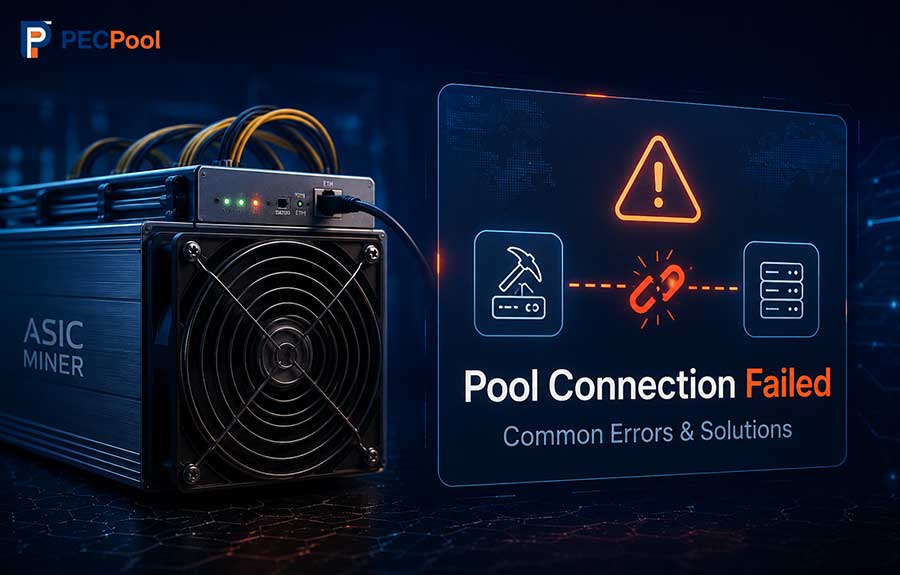
Learn how to diagnose and fix common PECPool connection errors, including Pool Dead, Socket Connect Failed, DNS Error, Authorization Failed, Connection Refused, Network Unreachable, No Shares, and repeated disconnections. This guide covers stratum addresses, ports, worker settings, DNS, firewalls, routing, miner logs, and backup pool configuration.
A Pool Connection Failed error means that an ASIC miner cannot establish or maintain a working connection with the configured PECPool stratum server.
The miner may still be powered on, its fans may be running, and its local interface may remain accessible. However, if it cannot receive mining jobs or submit valid shares, the worker will eventually appear Offline in the PECPool panel and will not generate effective mining contribution.
Pool connection failures are commonly caused by:
This guide explains the most common PECPool connection errors and provides a structured troubleshooting process for Antminer, WhatsMiner, and other compatible Bitcoin SHA-256 ASIC miners.
Before troubleshooting, it is helpful to understand the normal connection process.
A failure at any of these stages can prevent successful mining.
Open the miner's local management interface and find the pool or mining status page.
Depending on the miner and firmware, this section may be called:
Check:
A successful connection may be displayed as:
A failed connection may be displayed as:
Always use an official PECPool Bitcoin stratum hostname and a supported port.
| Region | Server | Available Ports |
|---|---|---|
| Global | btc.pecpool.com |
3333, 443, 25 |
| United States | btc-us.pecpool.com |
3333, 443, 25 |
| Europe | btc-eu.pecpool.com |
3333, 443, 25 |
| Russia | btc-ru.pecpool.com |
3333, 443, 25 |
| Asia | btc-as.pecpool.com |
8443, 443, 25 |
| Iran | btc-ir.pecpool.com |
8443, 443, 25 |
| Iran Alternative | btc.pecpool.cc |
8443, 443, 25 |
The complete Pool URL must use this format:
stratum+tcp://server-address:portExample:
stratum+tcp://btc-eu.pecpool.com:3333The PECPool website and control panel addresses cannot be used as mining stratum addresses.
Incorrect:
https://pecpool.com
https://cp.pecpool.com
https://cp.pecpool.cc
Correct:
stratum+tcp://btc.pecpool.com:3333ASIC miners require a stratum server address, not a normal website URL.
| Error | Common Meaning | Primary Checks |
|---|---|---|
| Pool Dead | The miner cannot establish or maintain the pool connection. | URL, port, internet, DNS, firewall |
| Socket Connect Failed | The TCP connection could not be opened. | Port, routing, firewall, server address |
| DNS Error | The hostname could not be converted to an IP address. | DNS server, gateway, hostname spelling |
| Authorization Failed | The worker or mining account information was not accepted. | Account name, worker format, spaces |
| Connection Refused | The destination rejected the connection on the selected port. | Correct port, firewall, server selection |
| Network Unreachable | The miner has no valid network route to the server. | Gateway, IP address, router, internet access |
| Connection Timed Out | The connection received no response before the timeout. | Packet loss, routing, ISP filtering, port |
| Connection Reset | An existing connection was unexpectedly closed. | Internet stability, router, firmware, proxy |
| No Shares | The miner is connected but not submitting accepted work. | Hashboards, worker, algorithm, firmware |
| Stratum Disconnected | The active stratum session was interrupted. | Network stability, pool switching, miner logs |
Pool Dead is one of the most common ASIC miner connection errors.
It generally means that the miner could not connect to the configured server or that an existing connection was lost.
Possible causes include:
Recommended actions:
Socket Connect Failed normally means the miner could not open a TCP connection to the configured hostname and port.
Possible causes include:
Test the selected hostname and port from a computer connected to the same network.
Windows PowerShell example:
Test-NetConnection btc-eu.pecpool.com -Port 3333Look for:
TcpTestSucceeded : TrueLinux example:
nc -vz btc-eu.pecpool.com 3333A DNS error means the miner cannot convert the PECPool hostname into the IP address required for the network connection.
Possible causes include:
From Windows Command Prompt:
nslookup btc-eu.pecpool.comFrom Windows PowerShell:
Resolve-DnsName btc-eu.pecpool.comFrom Linux:
getent hosts btc-eu.pecpool.comA successful test should normally return at least one IP address.
Do not permanently replace the PECPool hostname with the returned IP address. Server IP addresses may change, while the official hostname continues resolving to the correct destination.
Authorization Failed means the miner reached the PECPool server, but the submitted mining account or worker information was not accepted correctly.
The recommended worker format is:
AccountName.WorkerNameExample:
myaccount.miner01Common mistakes include:
Incorrect:
miner01
myaccountminer01
myaccount. miner01
user@example.com
bc1qexampleaddress
Correct:
myaccount.miner01The Pool Password field is not your PECPool control panel password.
When no special stratum password is required, use:
xNever enter:
Connection Refused means that the network destination was reached, but the selected connection was rejected.
Possible causes include:
Confirm the exact PECPool hostname and try another supported port.
Example:
stratum+tcp://btc-eu.pecpool.com:3333If port 3333 cannot be reached, test:
stratum+tcp://btc-eu.pecpool.com:443or:
stratum+tcp://btc-eu.pecpool.com:25Port 443 is available as an alternative stratum port on PECPool servers.
However, the following address still uses normal Stratum TCP:
stratum+tcp://btc-eu.pecpool.com:443The port number alone does not change the protocol into HTTPS or an encrypted stratum connection.
Network Unreachable means the miner cannot find a valid route to the PECPool server.
Check:
Example network configuration:
Miner IP: 192.168.1.100
Subnet Mask: 255.255.255.0
Gateway: 192.168.1.1
DNS: Valid reachable DNS serverA timeout occurs when the miner attempts to connect but does not receive a response within the expected period.
Possible causes include:
Test another official PECPool region or port and compare long-term connection stability.
Connection Reset means that an established TCP connection was unexpectedly closed.
Possible causes include:
If the error repeatedly affects many miners at the same time, investigate shared network infrastructure.
If only one miner is affected, check that miner's Ethernet cable, switch port, firmware, network settings, and logs.
No Shares means the miner may be connected to the pool, but PECPool is not receiving accepted mining work from it.
Possible causes include:
Check:
PECPool Bitcoin mining requires a Bitcoin SHA-256 ASIC miner.
A miner designed for another algorithm cannot mine Bitcoin by changing only its Pool URL.
Confirm that the exact miner model supports Bitcoin SHA-256 mining.
A Stratum Disconnected message means that the active mining connection ended unexpectedly.
An occasional reconnection may occur during a short internet interruption or pool failover. Repeated disconnections should be investigated.
Check:
Most ASIC miners support three pool entries.
PECPool recommends configuring all three addresses so the miner can switch to a backup route when the primary connection becomes temporarily unavailable.
Pool 1
URL: stratum+tcp://btc-eu.pecpool.com:3333
Worker: myaccount.miner01
Password: x
Pool 2
URL: stratum+tcp://btc.pecpool.com:443
Worker: myaccount.miner01
Password: x
Pool 3
URL: stratum+tcp://btc-us.pecpool.com:25
Worker: myaccount.miner01
Password: xPool 1
URL: stratum+tcp://btc.pecpool.cc:8443
Worker: myaccount.miner01
Password: x
Pool 2
URL: stratum+tcp://btc-as.pecpool.com:443
Worker: myaccount.miner01
Password: x
Pool 3
URL: stratum+tcp://btc-eu.pecpool.com:3333
Worker: myaccount.miner01
Password: x
Use the same mining account and worker name in all three pool entries of the same physical miner.
Using three ports on one hostname can help when only a specific port is blocked.
Using different PECPool hostnames and regions provides greater routing diversity.
Less diversified:
Pool 1: btc-eu.pecpool.com:3333
Pool 2: btc-eu.pecpool.com:443
Pool 3: btc-eu.pecpool.com:25
More diversified:
Pool 1: btc-eu.pecpool.com:3333
Pool 2: btc.pecpool.com:443
Pool 3: btc-us.pecpool.com:25Ping can provide basic information about network latency and packet loss.
Windows:
ping btc-eu.pecpool.comLinux:
ping -c 20 btc-eu.pecpool.comHowever, a failed Ping does not always mean the stratum server is unavailable. Some servers or network devices may ignore Ping while still accepting TCP mining connections.
The TCP port test and accepted-share activity are more important than Ping alone.
Packet loss can cause timeouts, connection resets, stale shares, and repeated pool disconnections.
Possible signs include:
Inspect:
A firewall may allow normal web browsing while blocking mining connections.
Check:
The miner must be allowed to create an outbound TCP connection to the selected PECPool hostname and port.
Incorrect static network settings can prevent internet access.
Check:
If DHCP is used, confirm that the router has provided a valid address, gateway, and DNS configuration.
Two devices using the same local IP address can cause intermittent access and pool connection failures.
Possible signs include:
Review the router DHCP list and confirm that every miner uses a unique IP address.
A miner may remain powered on even when its Ethernet connection is unstable.
Check:
Firmware controls stratum communication, pool authentication, network behavior, and share submission.
Firmware problems may cause:
Recommended practices:
The system or kernel log often provides the most useful information about a failed connection.
Look for messages containing:
Record the exact error rather than reporting only that the miner is Offline.
If miners connect through a mining proxy, the connection failure may occur between:
Check:
When practical, temporarily connect one miner directly to PECPool. If the direct connection works, investigate the proxy or its network path.
If other miners on the same network are connected normally, focus on the affected miner.
Check:
If many miners lose connection at approximately the same time, investigate shared infrastructure.
Check:
This indicates that the miner and internet connection are generally operational, but the Pool 1 hostname, port, or route has a problem.
Check:
If Pool 2 consistently performs better, move that stable address to Pool 1 after sufficient testing.
A connected pool does not always mean that PECPool is receiving valid shares.
Check:
After valid shares begin arriving, allow approximately 10 to 20 minutes for the worker to appear or fully update in the PECPool panel.
Incorrect configuration:
Pool URL: https://cp.pecpool.com
Worker: myaccount.miner01
Password: x
Correct configuration:
Pool URL: stratum+tcp://btc-eu.pecpool.com:3333
Worker: myaccount.miner01
Password: xThe miner log displays:
DNS Lookup FailedRecommended checks:
The miner uses:
stratum+tcp://btc-eu.pecpool.com:3333The hostname resolves correctly, but the TCP test fails.
Test:
stratum+tcp://btc-eu.pecpool.com:443If port 443 works and accepted shares begin increasing, the original port or network route was being blocked or filtered.
Incorrect worker:
miner01Correct worker:
myaccount.miner01After correcting the worker, save the configuration and confirm that accepted shares begin increasing.
The miner has:
IP Address: 192.168.1.100
Subnet Mask: 255.255.255.0
Gateway: 192.168.2.1
The gateway is outside the miner's local subnet and may not be reachable.
A correct gateway may be:
Gateway: 192.168.1.1Use the gateway assigned by the network administrator or router.
x.Changing the Pool URL, network configuration, DNS, firmware, worker name, and router settings simultaneously can make troubleshooting more difficult.
Use a controlled process:
stratum+tcp://stratum+tcp://.AccountName.WorkerName format.x.Contact PECPool Support when:
Provide:
Never provide:
Use only official PECPool support channels:
support@pecmine.comMost pool connection failures can be identified by checking four areas:
After correcting the issue, confirm that the active pool shows a connected status and that accepted shares begin increasing.
A miner is not fully connected only because it is powered on. Successful PECPool mining requires a stable stratum connection, correct worker authorization, and continuous valid share submission.
Copyright ©2026 PECPool.